

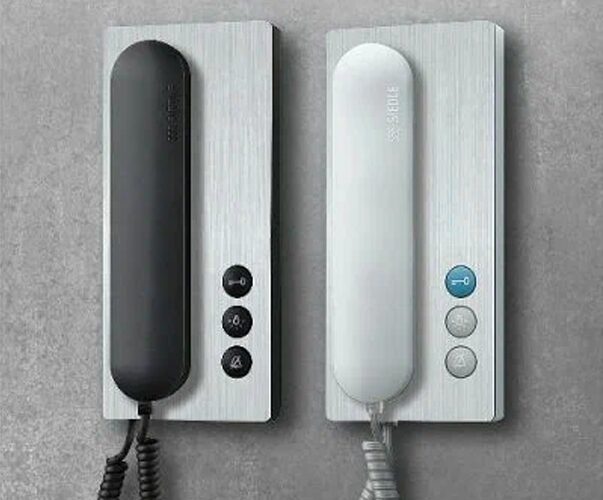
Noisy entry areas make everyday communication harder than it should be. Visitors speak into the intercom, yet their voice gets buried under traffic sounds, wind, footsteps, or echo from surrounding walls. Because of this, homeowners often assume the intercom is failing, when in reality the sound issues come from the environment around the entry point. Once these intercom noise problems build up, clarity drops and simple conversations turn into repeated questions and missed messages.
Even small adjustments create meaningful improvements. For example, better microphone placement, cleaner sound paths, and mild noise-control steps help the intercom capture voices without competing with outdoor noise. This becomes even more important now that new systems offer updated features. If you want to explore where modern upgrades are heading, the guide titled “Intercom System Trends Transforming Home Security in 2026” shows how current systems evolve to reduce background noise and improve overall clarity.
With these insights, your intercom becomes easier to understand, your entry area feels more controlled, and communication with visitors becomes far more reliable. This guide now walks you through practical tips you can apply right away, even if your intercom sits in a loud or busy location.
Improve Microphone Placement for Clearer Pickup
Microphone placement shapes how clearly your intercom captures voices. When the mic sits too close to traffic, wind, or echoing surfaces, even strong systems struggle to deliver clean sound. Voices become muffled, instructions get lost, and background noise covers important details. Because of this, adjusting placement becomes one of the fastest ways to improve intercom clarity without replacing equipment.
Why placement matters so much
Intercom microphones collect every sound within reach, not only the visitor’s voice. When the mic faces a busy street, a hallway that echoes, or an open area where wind pushes through, the voice signal weakens immediately. The system then raises all noise equally, which makes speech harder to understand.
Simple adjustments that make a big difference
Shifting the microphone slightly to the quieter side often produces instant improvement. Moving it a few inches away from hard surfaces reduces the echo that blurs speech. Even a small tilt changes how the mic prioritizes a visitor’s voice over background sounds.
What homeowners can try right away
- Turn the microphone a few degrees toward the visitor, not toward noise.
• Shift the panel if wind or traffic hits it directly.
• Angle the mic downward to limit open-air interference.
• Test sound after each adjustment to compare clarity.
Each small change guides the microphone toward cleaner sound and away from competing noise.
When relocating the panel becomes helpful
Some entry layouts create constant echo or direct wind flow. If your intercom sits under a metal awning, beside reflective walls, or in a corner that traps noise, minor adjustments may not be enough. A short relocation by a technician gives the microphone a cleaner sound path and prevents noise from overpowering speech.
Add Soft Surfaces Near the Entry to Reduce Echo
Echo around an entry point makes voices bounce in every direction, which weakens clarity before the sound even reaches the microphone. Hard surfaces such as concrete walls, tile floors, metal gates, and glass panels reflect noise and make your intercom work harder to capture clear speech. This is where entry area noise control becomes essential, especially in busy or open outdoor spaces.
Why echo affects intercom clarity
Echo creates a delay between the visitor’s voice and the reflected sound around them. The microphone picks up both signals, blending them into a blurred tone. This makes speech sound distant or hollow, even when the visitor speaks clearly and stands close to the panel.
Small changes that lower echo instantly
Soft surfaces absorb noise instead of reflecting it. Placing even one or two soft elements near the entry reduces echo more than most homeowners expect. These changes do not require major remodeling—they simply guide sound toward the microphone instead of letting it scatter.
Simple options homeowners can try
- Floor mats with thick fiber absorb footstep echo
• Outdoor rugs quiet hard surfaces near the panel
• Wrapped planters or wood-textured pots break sharp reflections
• Fabric door coverings soften sound near tight entryways
Each item reduces the noise bounce that interferes with voice clarity.
Why this works so well
Soft materials slow sound waves down, which means the microphone receives a cleaner, more focused voice. Visitors no longer need to raise their voice, and the intercom delivers a clearer message without strain.
When to consider adding more than one surface
Some entryways contain multiple reflective surfaces. If the echo remains noticeable after your first adjustments, adding another soft element such as a second mat or a plant near the wall often improves clarity even further.
Adjust Volume Settings Without Creating Distortion
Volume settings influence how clearly you hear a visitor, yet higher volume does not always mean better sound. Many homeowners raise the volume to overcome background noise, but this often creates distortion. Distorted audio becomes harsh, sharp, and difficult to understand. For this reason, fine-tuning your volume settings becomes essential when you want to improve intercom clarity without replacing the system.
Why distortion appears when volume is too high
Intercom speakers amplify both voice and noise. When the volume pushes past the speaker’s comfort range, the system stretches sound waves until they break. This creates a crackling or buzzing effect that makes speech harder to recognize.
How to find the right balance
Start by lowering the volume slightly from its current setting. Visitors may sound softer at first, yet the clarity improves once distortion fades. Increase the volume only until the voice becomes audible, not loud. This small adjustment often brings cleaner sound without stressing the speaker.
Simple tests homeowners can try
- Ask someone to speak at normal volume from the entry
• Raise and lower volume slowly while listening for clarity
• Pause at each level to check for buzzing or sharp edges
• Stop increasing volume the moment distortion appears
These steps help you find the clearest point where voices sound natural.
Why balanced volume matters in noisy entry areas
Boosting the volume too high only raises background noise along with speech. Balanced volume settings let the system process voice frequencies more accurately, especially when combined with good microphone placement and reduced echo.
When speaker replacement becomes helpful
Older speakers lose their ability to handle moderate volume. If distortion appears even at low settings, a new speaker or panel may solve the problem. Modern panels support cleaner output and keep the volume stable without creating harsh tones.
Clean the Speaker and Microphone Vents
Dust, moisture, and debris collect inside intercom vents over time. Once these particles build up, the microphone struggles to capture voices clearly, and the speaker produces dull or weak sound. Many homeowners assume the system is failing, yet a simple cleaning session often restores clarity. Because of this, regular intercom speaker troubleshooting should include cleaning both vents gently and consistently.
Why dirty vents reduce sound quality
Blocked vents limit airflow around the microphone and speaker. When the sound path becomes narrow, voices lose sharpness and volume. Dirt can also cause the mic to pick up rustling or static, making communication harder on both sides.
Signs your vents need cleaning
- Voices sound muffled or far away
• Sharp tones become unusually soft
• Static appears during wind or movement
• Intercom volume feels weaker than usual
• Visitors say they cannot hear you clearly
These symptoms often appear long before the system stops working completely.
Safe cleaning steps homeowners can follow
Use a dry, soft brush to loosen dust gently. A can of compressed air also helps clear deeper areas without damaging internal parts. Wipe the outer grill with a microfiber cloth to remove surface buildup. These steps take only a few minutes yet create noticeable improvement.
Why water should never be used on vents
Moisture causes corrosion and interferes with the microphone’s sensitivity. Even a small amount of water can damage internal components. Dry cleaning methods protect both the mic and speaker.
When further troubleshooting becomes necessary
If clarity does not return after cleaning, the issue may involve worn internal components, aging wiring, or environmental noise. Technicians can open the panel safely and test deeper issues before recommending repairs or upgrades.
Shield the Intercom From Wind and Outdoor Sounds
Wind noise remains one of the most disruptive factors for intercom clarity. Even gentle wind creates a rushing sound that overwhelms the microphone and drowns out the visitor’s voice. Outdoor spaces with open corners, hallways, or driveways amplify this problem even more. Because of this, simple shielding becomes one of the most effective noisy entryway solutions for improving communication.
Why wind affects intercom performance so strongly
Wind hits the microphone in uneven bursts. These bursts create pressure changes that the mic interprets as loud static. The system responds by lowering voice clarity, making even clear speech sound broken or distant.
Small shields that reduce wind impact instantly
A slight barrier beside or above the intercom redirects wind away from the microphone. This does not block airflow completely—it simply creates a calmer pocket where the mic can capture cleaner sound.
Easy shielding ideas homeowners can try
- Install a small canopy or awning above the intercom
• Add a side panel or wind guard near the microphone
• Place tall plants or planters to break direct wind paths
• Use a weather-resistant foam windscreen made for outdoor mics
Each option softens wind pressure and keeps the audio steady.
Why direction matters more than size
Even a small shield works well when placed on the side where wind hits most often. The goal is not to cover the intercom, but to guide airflow so the microphone no longer sits in the wind’s direct path.
When wind becomes an ongoing issue
Homes near open fields, tall buildings, or busy walkways experience directional wind more frequently. In these cases, combining shielding with noise-filtering panels or improved placement offers the strongest long-term results.
Separate the Intercom Circuit From Other Noisy Devices
Interference inside the electrical system affects sound just as much as outdoor noise. Devices that share the same circuit—such as doorbells, exterior lights, or old transformers—create electrical noise that mixes into the intercom signal. This interference makes voices sound faint, shaky, or distorted. Creating separation between circuits is one of the most reliable ways to achieve better intercom audio in noisy entry areas.
Why shared circuits cause audio issues
Multiple devices draw power at the same time. When these devices switch on or off, they create small electrical ripples that travel through the wiring. The intercom picks up these ripples as noise, which makes speech less clear. Older buildings experience this even more because wiring loses stability with age.
Signs your intercom is affected by electrical noise
- Buzzing or humming that appears only when lights are on
• Sudden drops in clarity when another device turns on
• Random static even in quiet outdoor environments
• Sound cutting in and out during busy hours
These patterns show that the intercom is competing with other devices on the same electrical path.
Simple checks homeowners can try
Turn off nearby devices one by one and listen for changes. If clarity improves when certain appliances or fixtures power down, the circuit is overloaded or carrying interference. This test helps identify the source without opening any electrical panels.
Why separating circuits improves clarity
A dedicated circuit delivers clean, stable power to the intercom. Without competing devices, the microphone and speaker process sound more accurately. This produces smoother communication and reduces distortion in busy entry areas.
When to involve an electrician
Electricians can move the intercom to a cleaner circuit or install a small line filter to reduce interference. These upgrades often create immediate improvement, especially in older homes where multiple devices share outdated wiring.
Wrapping Up
Clear intercom communication depends on more than the device itself. Entry noise, echo, wind, dirty vents, electrical interference, and microphone placement all shape how well your system performs. Once these small issues stack up, visitors struggle to speak clearly, and you end up repeating instructions just to hear simple details. This guide showed how each adjustment works together to improve clarity, reduce noise, and create a smoother experience at your entry point.
Intercom systems respond quickly when the environment becomes more controlled. Microphone placement boosts voice pickup, soft surfaces reduce echo, shielding softens wind, and proper cleaning sharpens audio. Circuit separation and modern noise-filtering panels raise clarity even further. Each step builds on the previous one, creating a steady path toward a cleaner, more reliable sound.
Better communication at the door brings comfort, safety, and confidence back to your entry routine. With these simple changes, your intercom becomes easier to use, visitors feel heard, and your home’s first point of contact stays clear even in noisy surroundings.
Frequently Asked Questions
1. Why does my intercom sound noisy at the entrance?
Noise usually comes from echo, wind, traffic, weak microphone placement, or interference from nearby electrical devices. Improving the environment around the intercom often brings immediate clarity.
2. How do I reduce echo around my intercom?
Soft surfaces such as outdoor rugs, floor mats, wrapped planters, or fabric elements help absorb sound. These small changes reduce bounce-back and make voices easier to understand.
3. Why does wind make my intercom hard to hear?
Wind hits the microphone in sharp bursts, creating loud static. A small canopy, side shield, or windscreen helps block direct airflow and keeps the audio steady.
4. What causes muffled intercom sound?
Dust, debris, and moisture clog the speaker and microphone vents. Cleaning these areas gently often restores sharp clarity without replacing the panel.
5. Could electrical interference make my intercom sound distorted?
Yes. Devices that share the same circuit create electrical noise that travels through the wiring. Once the intercom receives that noise, voices become shaky or unclear.
6. When should I consider upgrading to a noise-filtering panel?
Upgrading becomes helpful when your entry area stays noisy even after adjusting placement, adding soft surfaces, and cleaning vents. Noise-filtering panels strengthen voice frequencies and reduce unwanted background sounds.
7. How do I know if my microphone is placed incorrectly?
Voices sound distant, muffled, or overwhelmed by nearby noise. Slight repositioning often improves pickup instantly, especially when the mic faces traffic or echoing surfaces.
8. Can outdoor surfaces make my intercom louder or harsher?
Yes. Concrete, metal, brick, and glass reflect sound aggressively, which increases noise and echo. Adding a few soft elements helps soften these reflections.
9. Why does my intercom buzz when lights or appliances turn on?
Buzzing indicates electrical interference. The intercom likely shares a circuit with other devices, and separating circuits improves audio stability.
10. What is the quickest way to improve intercom clarity?
Start with microphone placement, clean the vents, and reduce echo. These changes usually bring the fastest improvement even before considering upgrades.
