

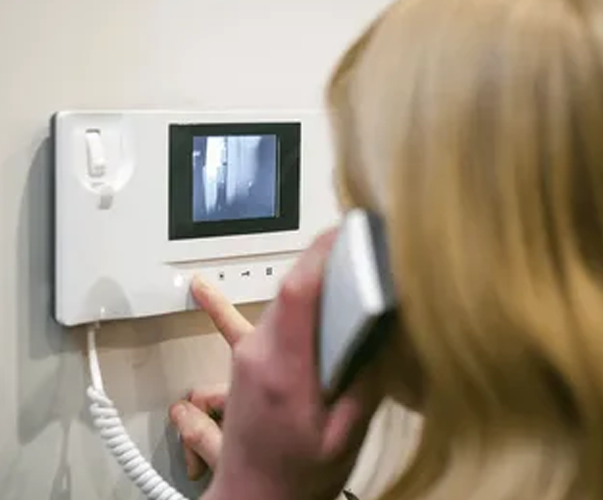
Is your intercom not working right when you need it most? You know the scene: the pizza delivery is at the gate in the rain, or an important client is buzzing to be let in, but all you hear is silence, or maybe an annoying, constant buzz. A faulty intercom system is more than a minor hiccup; it’s a genuine security and convenience letdown.
Before you assume the worst and dial up a costly technician, take a deep breath. What if you could solve this yourself? Many common intercom issues have surprisingly straightforward fixes. This Intercom troubleshooting guide is designed to walk you through the most frequent problems, allowing you to fix your intercom system and restore peace of mind to your home or building.
Before You Begin: Your Safety First Toolkit
Now, I know the urge is to just dive in and start fiddling with wires. Let’s pause for one moment. Your safety is far more important than a quick fix. Whenever you’re even thinking about fixing intercom systems, the golden rule is to always, always turn off the power at your home’s or building’s main circuit breaker before you touch a single wire. Think of it like this: you wouldn’t change a car’s engine while it’s running, right? Treat electricity with the same respect.
Once the power is safely off, you’ll be glad you have a few simple tools on hand. You don’t need a fancy workshop. A simple multimeter (which is just a device that checks if electricity is flowing), a couple of screwdrivers, some electrical tape, and a notepad for labeling wires are your best friends for this job. Having these ready turns a confusing task into a simple, step-by-step process.
The 7 Common Intercom Issues and How to Fix Them
1. Intercom is Completely Dead (No Power)
You press the button, but nothing happens. No lights, no sound, no faint buzz, just total silence. It’s as if the entire intercom system has fallen into a deep sleep.
This usually points to a complete break in the power supply. Just like a lamp won’t turn on if it’s unplugged, your intercom needs a continuous flow of electricity. The issue could be a tripped circuit breaker, a failed transformer (the box that converts your home’s power for the intercom), or a broken connection in the main wiring.
How to Fix it:
- Go Back to the Breaker: Remember where we started with safety? Your first stop is the circuit breaker panel. Look for a switch labeled for the intercom or a general “lights and outlets” circuit that might have tripped. Flip it off and then back on.
- Check the Outlet: For some Home intercom system setups, the master station plugs into a regular wall outlet. Make sure it’s plugged in securely and test the outlet with another device, like a lamp.
- Locate the Transformer: If the breaker and outlet are fine, the problem might be the transformer. This is a small, often beige or gray box, usually located in a basement, closet, or attic. Feel for warmth and listen for a very faint hum. If it’s cold and silent, it may have failed.
- Test with a Multimeter: This is where your multimeter earns its keep. With the power ON (be extremely careful now), you can test the voltage at the transformer’s output. If it reads zero, the transformer is likely dead and needs replacement.
2. Intercom is Buzzing or Has Constant Static
Instead of silence, you’re met with a relentless humming, crackling, or buzzing sound that makes it impossible to understand the person at the door. It’s like trying to have a conversation during a bad storm on a radio.
This annoying noise is often a sign of an unstable electrical connection. Think of it as a shaky bridge for the audio signal to cross. The cause can be a loose wire somewhere in the system, a poor ground connection, or even electrical “noise” from a nearby appliance interfering with your wired intercom system.
How to Fix it:
- Find the Source: Is the buzzing coming from just one station, or all of them? If it’s just one, the problem is localized to that unit. If it’s everywhere, the issue is likely in the main station or central wiring.
- Check and Tighten Connections: With the power OFF, carefully open the cover on the problematic station. Look for any wires that seem loose on their terminals and gently tighten them with a screwdriver.
- Look for Wire Damage: Inspect the wires for any signs of fraying, corrosion, or a greenish tint, which indicates water damage. If you find any, you’ll need to cut the damaged section and strip the wire to create a fresh, clean connection.
- Identify Appliance Interference: Do you have a large appliance like a refrigerator or an AC unit that kicks on when the buzzing starts? Try turning off different appliances one by one to see if the noise stops. If it does, that appliance is likely causing the interference.
3. One-Way Audio (Can Hear, But Can’t Talk, or Vice Versa)
The connection works, but the conversation is a one-way street. You can hear your visitor perfectly, but they can’t hear you at all. Or, the opposite happens—they can talk to you, but your end is completely silent for them.
This is a classic case of a single failed component. Think of it like a telephone where either the earpiece or the microphone has broken. In intercom terms, the problem is usually a faulty microphone in your handset/master station, or a blown speaker in the outside door station. This is a common issue in older intercom systems where components wear out over time.
How to Fix it:
- Identify the Faulty Device: The simplest way to figure this out is to test communication with a different station. If the one-way audio happens on every call, the fault is likely in the master station’s microphone or speaker. If it only happens when calling one specific apartment or unit, the problem is with that station’s hardware.
- Check the Handset: For systems with a telephone-style handset, the curly cord is a common point of failure. Try wiggling the cord where it connects to the handset and the base while you’re talking. If the audio cuts in and out, the cord needs replacing.
- Inspect for Obstructions: On the outside station, check the small holes for the microphone and speaker. They can become clogged with dirt, dust, or even insect nests, which muffles or blocks the sound entirely. A careful cleaning with a dry toothbrush can sometimes work wonders.
4. Video Intercom Screen is Black or Frozen
Your video intercom system should give you eyes at the door, but instead, the monitor screen is completely black, displays a frozen image, or just shows snow and static. You get audio, but no video, which defeats half the purpose of having the system.
This problem separates the audio and video pathways. Since you can still hear, the power and basic audio wiring are okay. The issue lies specifically in the video signal. This could be a loose video cable, a problem with the camera itself (especially if it’s been exposed to the elements), or a failing monitor screen inside.
How to Fix it:
- Perform a Reboot: It sounds too easy, but it often works. Turn off the power to the entire intercom system at the breaker for 30 seconds, then turn it back on. This can reset the internal electronics and clear a temporary software glitch, much like restarting a frozen computer.
- Check the Video Cable: With the power OFF, inspect the cable running from the outside camera to the indoor monitor. Ensure it’s securely plugged in at both ends. For Commercial intercom system installations with long cable runs, even a small loose connection can kill the video signal.
- Inspect the Outside Camera: Look at the camera on the door station. Is the lens clean and free of dirt, spider webs, or moisture? Sometimes, the problem is as simple as a dirty lens. Also, look for any physical damage or cracks.
- Test with Another Monitor (If Possible): If you have access to another compatible monitor, try plugging it in. If the new monitor works, you know the original indoor screen is the part that needs Intercom system repair or replacement.
5. Door Won’t Unlock with the Intercom
You can talk to your visitor perfectly, but when you press the button to unlock the door, nothing happens. The electronic lock doesn’t make its familiar “click” or “buzz,” and your guest remains stuck outside. This is one of the most frustrating intercom repair issues, as it directly blocks access.
The problem sits between your button press and the physical lock. The communication part works, so the issue is with the door release circuit. This could be a broken electric strike (the locking mechanism in the door frame), a break in the low-voltage wires that control it, or a failed power supply dedicated to the lock.
How to Fix it:
- Listen Carefully: When you press the door release button, put your ear near the indoor master station. Do you hear a faint click or buzz from inside the unit? If you do, it means the station is sending the signal, and the problem is with the lock or the wires to it. If you hear nothing, the issue might be inside the station itself.
- Check the Lock’s Power: Electric locks often have their own small power supply or transformer. Locate this transformer and check if it’s warm and humming, just like we did for the main system. If it’s cold and dead, this is your culprit.
- Inspect the Electric Strike: Open the door and look at the metal lock mechanism in the door frame. Check its wires for any obvious damage or disconnections. Sometimes, these components just wear out from years of constant “buzzing” and need to be replaced.
6. Wireless Intercom Has a Weak Signal or Keeps Disconnecting
Your conversation is choppy, the video freezes, or the units randomly lose connection with each other. You might hear a “beep” and see the word “searching” on the screen. This is the hallmark headache of wireless intercom systems.
Unlike their wired cousins, these problems are almost always about the environment, not broken wires. The signal between units is being blocked, reflected, or competed with. Common culprits are thick walls (especially concrete or brick), large metal appliances, or interference from your own Wi-Fi router and other wireless devices.
How to Fix it:
- Check the Distance and Obstacles: Think of the wireless signal like a conversation in a crowded room. The farther apart you are and the more walls between you, the harder it is to hear. Try moving the base station to a more central location, away from thick walls and metal file cabinets.
- Address Wi-Fi Interference: Your Wi-Fi router and your wireless intercom systems often broadcast on similar frequencies and can “talk over” each other. Try moving your router a few feet away from the intercom base station. If you’re tech-savvy, you can log into your router’s settings and change its broadcast channel to reduce interference.
- Power Cycle the Units: Unplug both the indoor and outdoor units for 60 seconds, then plug them back in. This allows them to re-establish a fresh, clean connection with each other, which can often solve intermittent dropouts.
- Check for Low Batteries: If any of your units are battery-powered, a weak battery can cause a very poor signal. Replace the batteries with fresh ones to see if the connection improves.
7. Old Intercom System is Unreliable or Parts are Broken
Your intercom has become a source of constant, random problems. It works one day and not the next. Buttons are stuck, the sound comes and goes, or you can’t find replacement handsets for a system the manufacturer no longer supports. This is the classic end-of-life stage for an old wired intercom system.
Time itself is the enemy here. Internal components on the circuit board degrade, plastic becomes brittle and cracks, and internal wiring corrodes. The biggest challenge with these intercom repair issues is that replacement parts are often impossible to find, making a true fix more about patchwork than a permanent solution.
How to Fix it:
- Consider an Upgrade: Honestly, the most reliable “fix” for an old, failing system is often to replace it. Modern smart intercom system options offer incredible features like seeing visitors on your phone, remote unlocking, and integration with other smart home devices. The cost and hassle of constant repairs can quickly outweigh the investment in a new, reliable system.
- Focus on External Components: If you’re not ready to upgrade, focus on the parts you can still service. Clean corroded button contacts with a specialist electronic contact cleaner. Ensure all the external wire connections are tight and free of corrosion, as we discussed in the buzzing and power sections.
Conclusion
We’ve walked through the seven most common intercom issues, from a simple tripped breaker to a finicky old system. You now have a clear guide to diagnose issues with buzzing, one-way audio, video problems, and door release failures. Remember, starting with the simple checks solves a surprising number of problems and saves you time and stress.
Of course, sometimes the issue is more complex, or you simply don’t have the time for a DIY project. When that’s the case, the professional team at SafeZone is here to help. We offer expert Intercom System Services to accurately pinpoint any issue and get your security and communication back on track for good. Give us a call at +1 212 911 8597 or visit https://safezone.nyc/intercom-system/ to learn more about how we can help.
